Problem:
Sometimes teachers may say something along the lines of "The attendance on blackbaud is not available"
or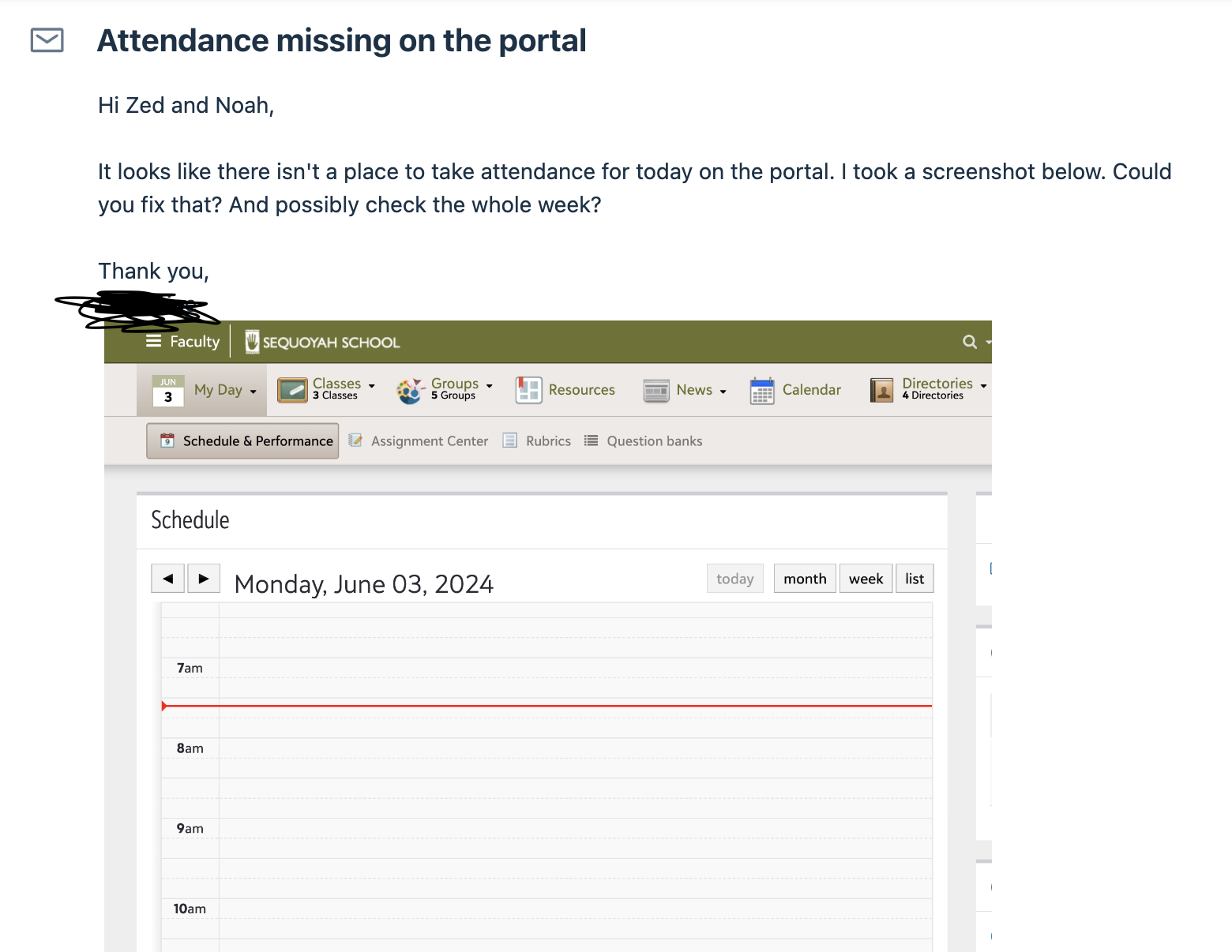
How to resolve:
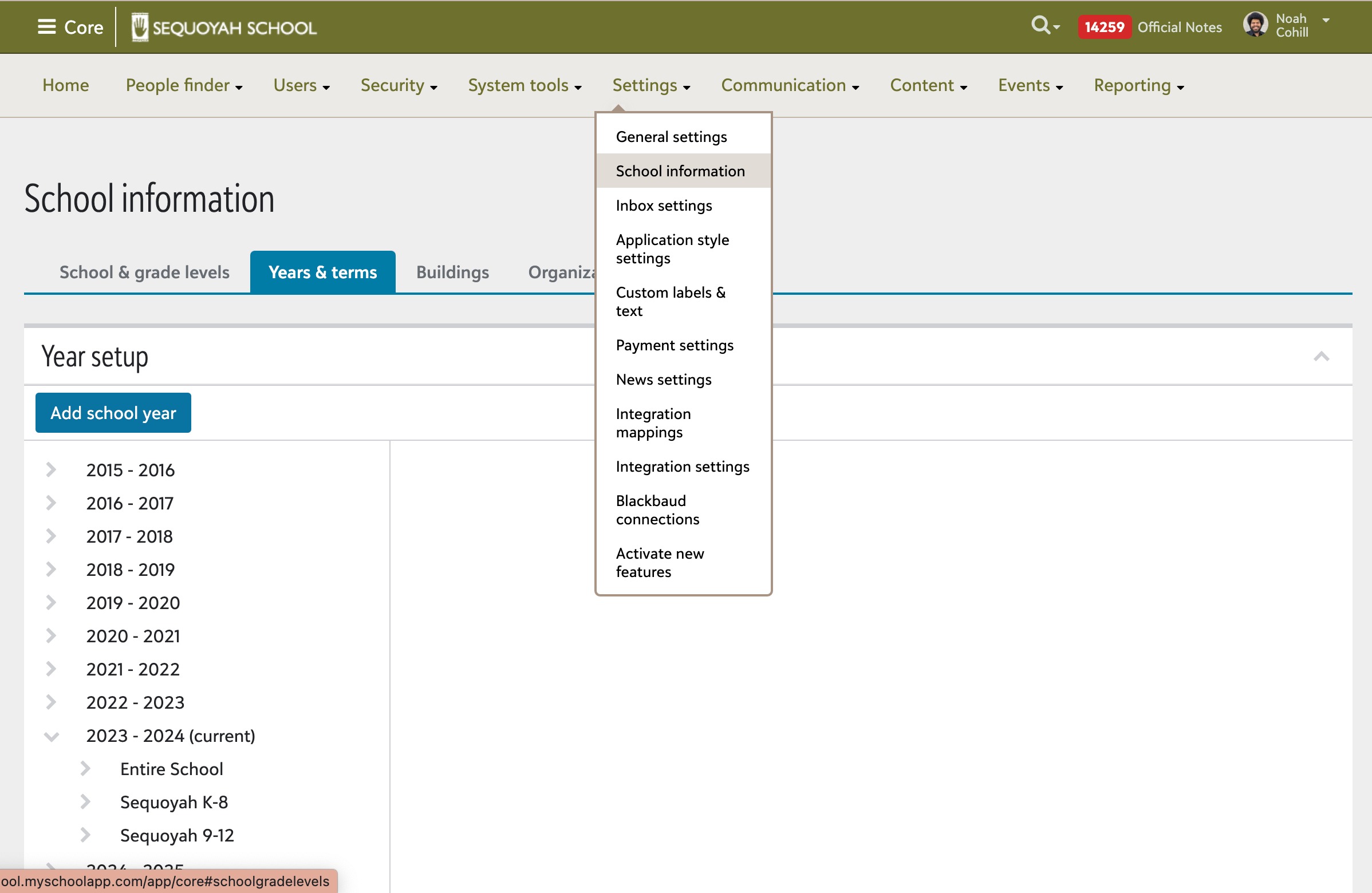
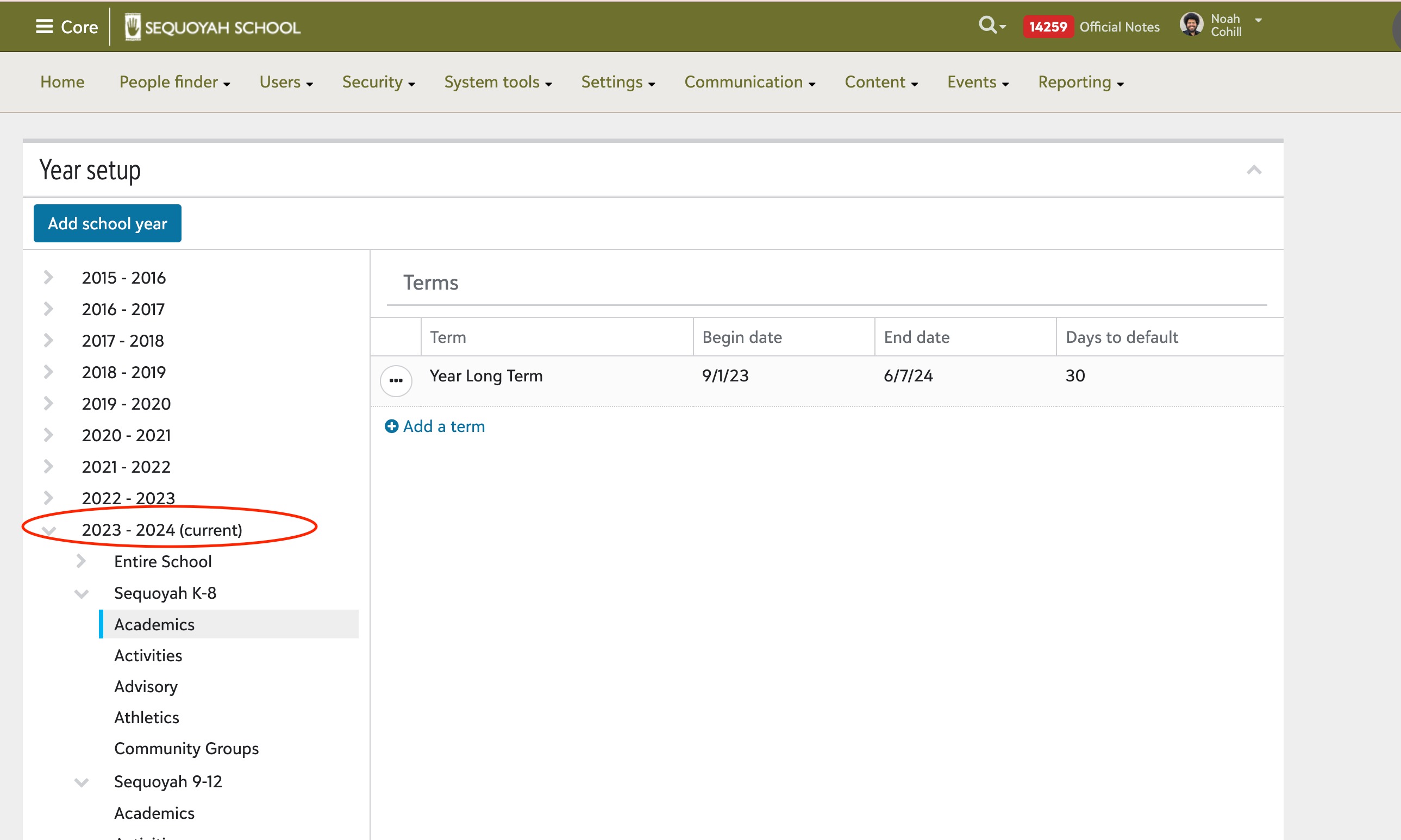
A good way to resolve this issue is to make adjustments either in Core > School Settings > School Information > and select the school year, k8 or 9-12, and Academics
or
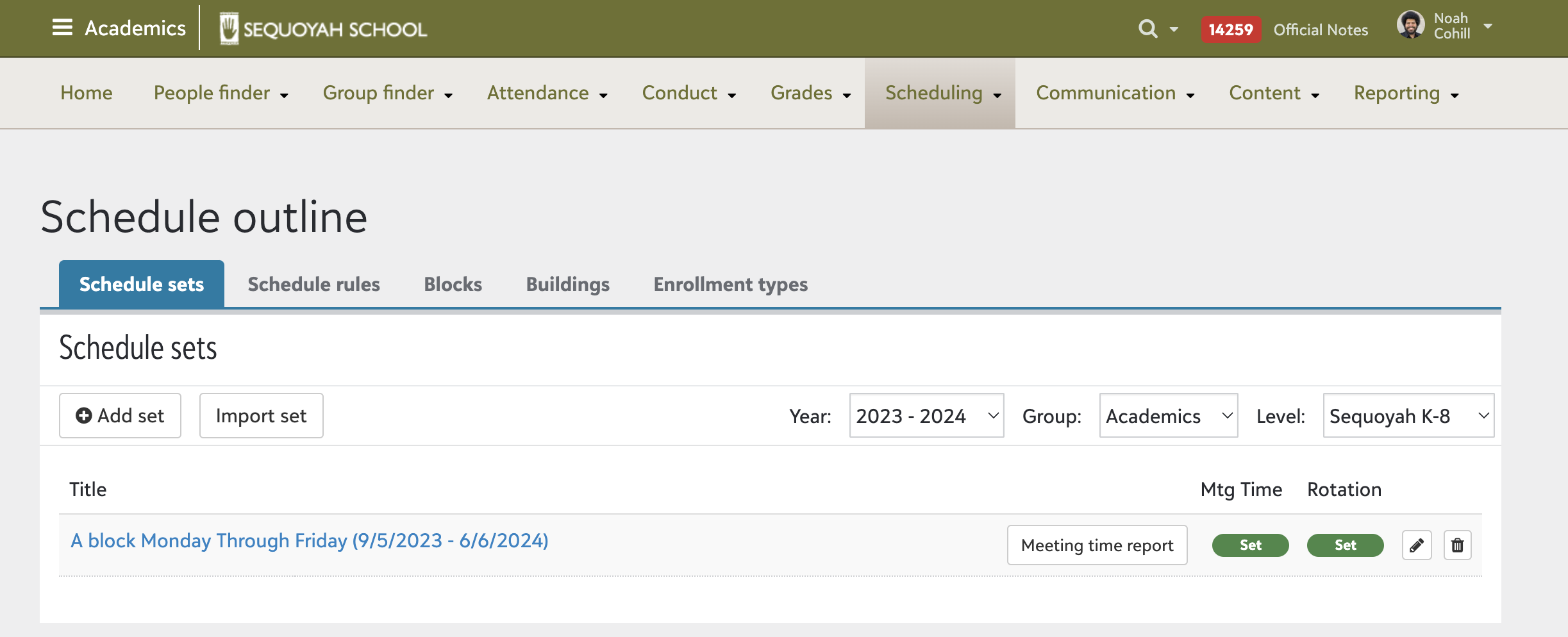
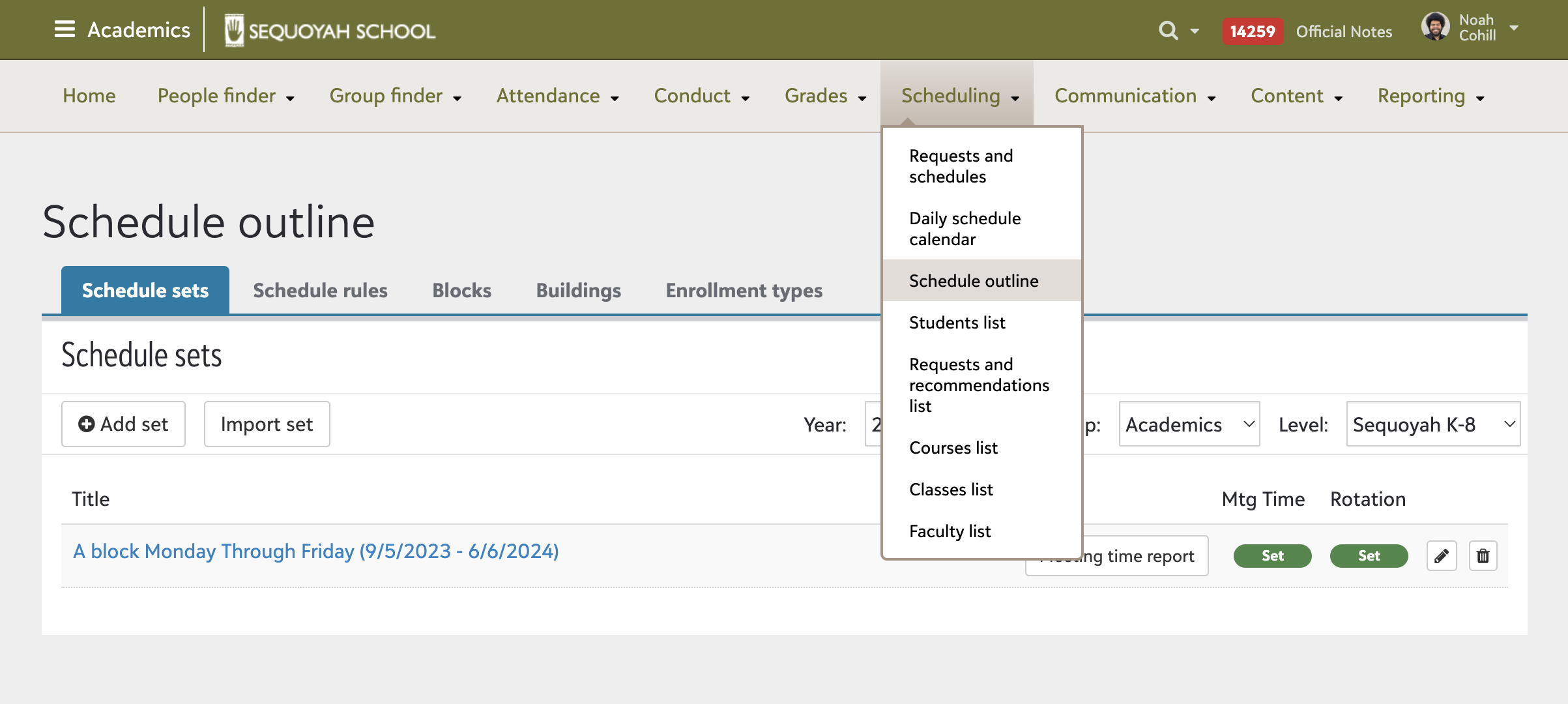
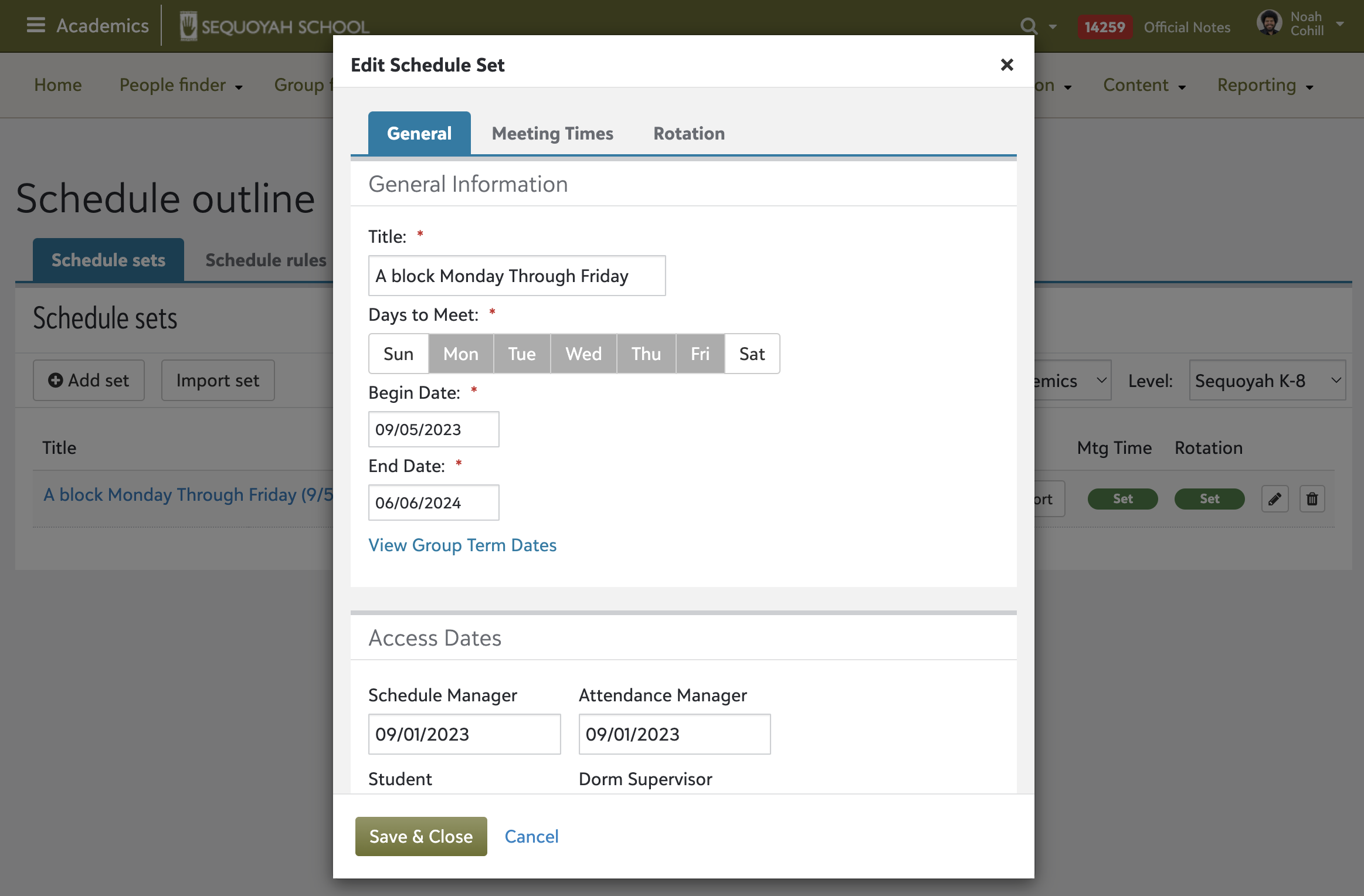
Go to Academics > Scheduling > Scheduling Outline > Schedule Sets > Select the school level and click the edit button (pencil icon)
Below, will include detailed photos of the process for both.
Making adjustments in Core
Core > School Settings > School Information > and select the school year, k8 or 9-12, and Academics
Making Adjustments in Academics
Go to Academics > Scheduling > Scheduling Outline > Schedule Sets > Select the school level and click the edit button (pencil icon)